
Cloudflare Tunnel is one of my go-to publishing layers, especially in setups where I don’t want to open ports directly to the outside world. It delivers both security and operational simplicity, particularly for ERP systems, admin panels, internal services, and private dashboards.
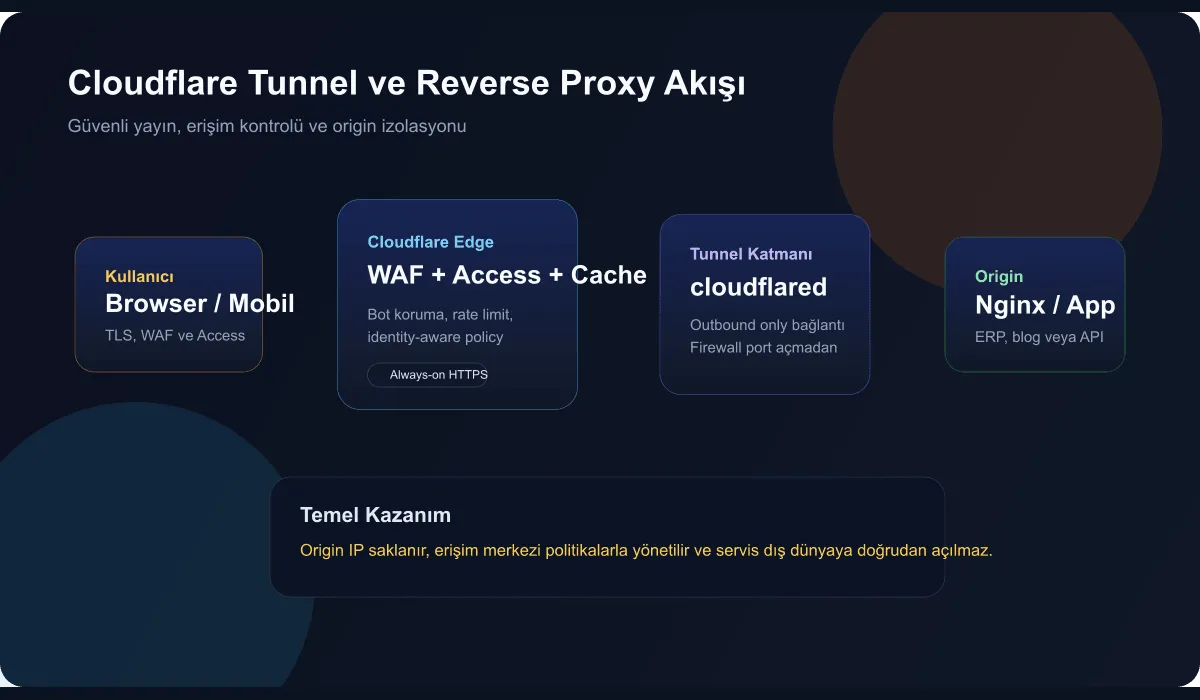
Why Tunnel instead of classic port forwarding?
In the classic model, a service is exposed to the internet via firewall or router. This both makes the origin IP visible and creates a direct attack surface.
With the Tunnel approach:
- no inbound port is opened from the outside world
- the origin IP stays hidden
- TLS, WAF, and Access policies are applied at the edge layer
- publishing and rolling back services becomes far more controllable
Installation logic
The basic flow looks like this:
- Install
cloudflaredon the server. - Connect the tunnel to your Cloudflare account.
- Point a DNS record at the tunnel.
- The reverse proxy layer can be Nginx or the service directly.
- If needed, add identity-controlled access via Cloudflare Access.
Example approach
cloudflared tunnel login
cloudflared tunnel create erp-panel
cloudflared tunnel route dns erp-panel erp.example.com
Then a sample config.yml:
tunnel: erp-panel
credentials-file: /etc/cloudflared/erp-panel.json

ingress:
  - hostname: erp.example.com
    service: http://127.0.0.1:8080
  - service: http_status:404
Using it together with a reverse proxy
I typically still keep an Nginx layer on the inside. There are two big advantages to this:
- It becomes easier to separate application logs by service.
- You also get a consistent routing layer on the internal network.
Nginx example:
server {
  listen 8080;
  server_name erp.internal;

  location / {
    proxy_pass http://127.0.0.1:3000;
    proxy_set_header Host $host;
    proxy_set_header X-Forwarded-For $proxy_add_x_forwarded_for;
    proxy_set_header X-Forwarded-Proto $scheme;
  }
}In which scenarios is it most useful?
- Publishing an ERP or admin panel
- Giving secure dashboard access to remote teams
- Quickly publishing temporary PoC environments
- Protecting internal APIs with Access policies
- Completely hiding the origin IP from the outside world
Points to keep in mind
- Just setting up the Tunnel isn’t enough — Access policy must also be considered.
- The local firewall on the origin server should still be active.
- Log streams should be retained on both the Cloudflare and origin sides.
- For single services, health-check and timeout behaviors should be tested.
Conclusion
When used correctly, Cloudflare Tunnel is not just a convenient publishing tool but becomes a serious security and operations standard. The idea of publishing a service without opening ports offers a particularly valuable layer in modern infrastructures.