
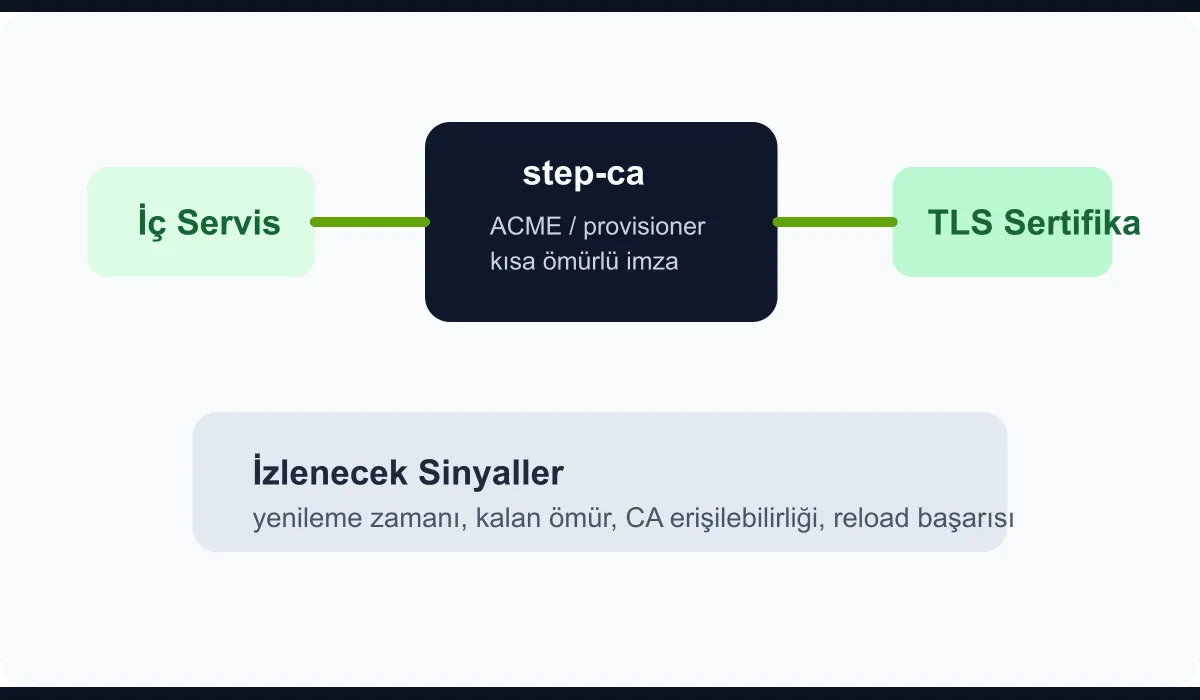
TLS use in internal service traffic is no longer the exception but the baseline expectation. Despite this, in many organizations, certificate management still moves through manual requests, long-lived files, and rarely-touched private keys. This model can be carried at small scale; but as the number of services grows, the operational load and security risk grow together. The short-lived certificate approach is an effective way to reduce this burden. step-ca, with its lean installation model, offers a practical starting point for this transition.
Why short-lived certificates?
Long-lived certificates look comfortable at first glance. You generate them once and forget for months. But this comfort carries three issues:
- The blast radius is long when there is a leak
- Operational pressure builds up when renewal time arrives
- Certificate ownership becomes blurred over time
With short-lived certificates, the security model shifts from “guard well and store for a long time” to “produce fast, use briefly, renew automatically.” That way the risk surface shrinks.
1. step-ca installation
First, bring up the control plane. In a small lab or internal network environment, the following commands give a good start:
brew install step
step ca init \
  --name "Mustafa Internal CA" \
  --dns "ca.internal.example" \
  --address ":9000" \
  --provisioner "platform-team"
During installation, carefully choose the directory where the root and intermediate CA keys will be kept. This host should, if possible, be separated from general-purpose application nodes.
2. Add an ACME provisioner
To let internal services obtain certificates automatically, opening the ACME flow is one of the most practical options:
step ca provisioner add internal-acme \
  --type ACME
This way, services can obtain certificates either with certbot-like flows or directly with the step client. Internal DNS resolution and access control matter at this point; you do not want to hand out unconditional certificates to every host.
3. Request a certificate on the service
As an example, let’s get a short-lived certificate for an internal API:
step ca certificate api.internal.example \
  /etc/ssl/api.crt \
  /etc/ssl/api.key \
  --provisioner internal-acme
In real production, instead of running this by hand, it is more correct to automate it inside a systemd timer, sidecar, or entry script. The main idea is that the certificate file is produced not by a one-shot human action, but by audited automation.
4. Schedule the renewal
The heart of the short-lived certificate model is renewal. If you are pulling the certificate lifetime down to, say, 24 hours, you must not leave renewal to the last minute. A simple systemd timer example:
[Unit]
Description=Renew internal TLS certificate

[Service]
Type=oneshot
ExecStart=/usr/local/bin/step ca renew /etc/ssl/api.crt /etc/ssl/api.key --force
ExecStartPost=/bin/systemctl reload my-api.service
The critical point in this example is that, after renewal, the service must actually load the new certificate. If the file is renewed and the process keeps running with the old certificate, the model stays only on paper.
5. Add observation and alerting
After the certificate automation is set up, assuming everything will run on its own is risky. You must monitor at least the following signals:
- Remaining certificate lifetime
- Time of the last successful renewal
- Renewal error rate
- step-ca availability
- Signing request volume and failure distribution
Without this visibility, automation can break silently and only be noticed during a large-scale expiration event.
6. What to watch out for in private key management
Using short-lived certificates does not eliminate the need for private key discipline. In fact, in some cases, since renewal becomes more frequent, the number of processes touching the key file may increase. So:
- Keep key permissions to the minimum
- Limit the renewal process to the service user
- If possible, also periodize key rotation
- Do not leave sensitive content in step-ca logs
The shorter the certificate lifetime, the safer the operation becomes; but only if key hygiene is also preserved.
Conclusion
Setting up short-lived certificate automation for internal services with step-ca makes mTLS and internal TLS use operationally portable. It reduces the forgotten-risk of long-lived certificates, moves renewal pressure into automation, and ties service security to a more regular rhythm. The value of internal PKI lies not in being complex; it lies in being lean enough that teams can actually sustain it.