
On container-based platforms, security conversations often start at the runtime layer. But if it is not clear earlier in the chain what is being produced, who produced it, and what enters the delivery flow, runtime protections alone are not enough. Cosign makes supply chain security more actionable by adding an identity and integrity layer to container images. In this guide we will set up — in a clean flow — the steps for signing the image, verifying it, and wiring verification into the delivery gate.
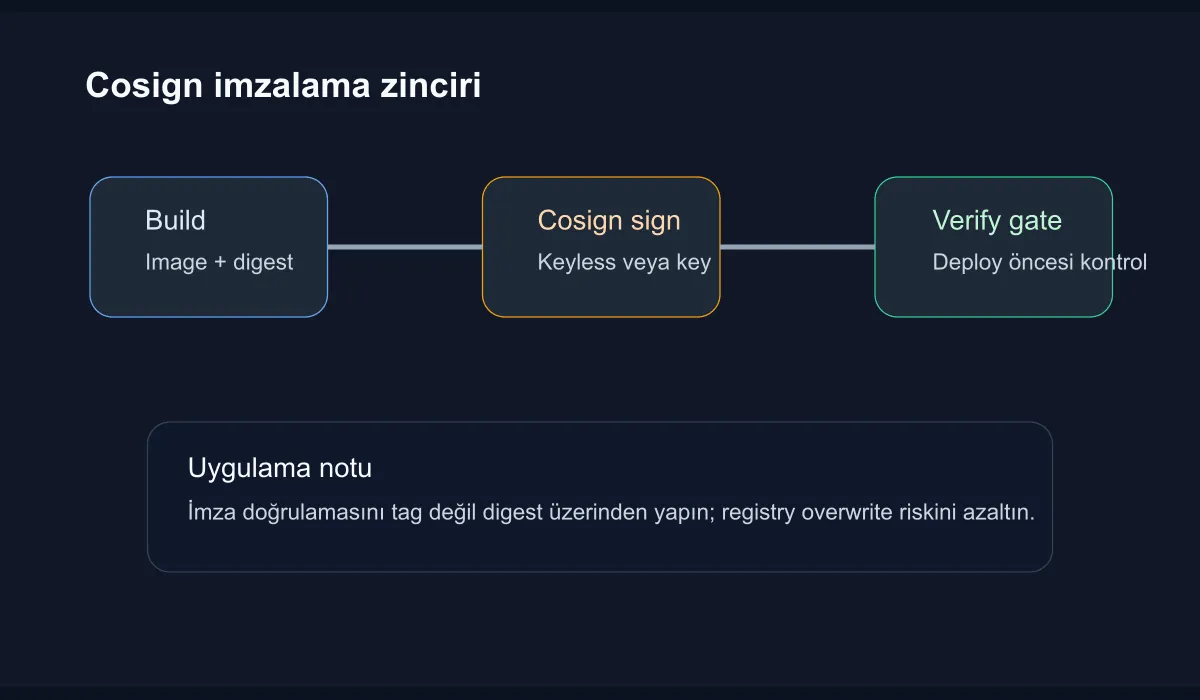
Target architecture
The aim is to build the following chain:
- The CI pipeline produces the image
- The image is pushed to the registry
- Cosign produces the signature and stores it alongside the registry
- An admission step or pipeline stage verifies the signature before deployment
With this model we can answer not only “does the image tag exist,” but “did this image come out of a trusted production line.”
Installing Cosign
For local testing, installing the tool is enough:
brew install cosign
cosign version
Two approaches are common in enterprise use:
keyless: OIDC-based, signing with the CI identitykey pair: Signing with a private key plus passphrase
Where possible, the keyless approach is more sustainable. It cuts down on key rotation and storage overhead.
Sample image build and signing
Let’s build a simple image:
docker build -t registry.example.com/platform/demo-api:2026.04.09 .
docker push registry.example.com/platform/demo-api:2026.04.09
To sign it with a key pair:
cosign generate-key-pair
cosign sign --key cosign.key registry.example.com/platform/demo-api:2026.04.09
This command associates the signature with the corresponding artifact on the registry side. Re-tagging an image is not the same as changing its content; for that reason production flows should prefer working by digest.
Verification step
To verify the image:
cosign verify --key cosign.pub registry.example.com/platform/demo-api:2026.04.09The output returns certificate or signature information. The critical point here is not just the presence of a signature, but its compatibility with the identity or key you expect. Otherwise, any signature can produce false trust.
A CI gate example:
IMAGE="registry.example.com/platform/demo-api@sha256:abc123..."
cosign verify --key cosign.pub "$IMAGE" >/tmp/cosign-verify.json
jq '.[0].critical.image.docker-manifest-digest' /tmp/cosign-verify.json
This approach keeps the relationship between digest and signature explicit before deployment.
Wiring it into the Kubernetes delivery pipeline
The simplest model is to perform verification inside the deploy job. A stronger model rejects unsigned images at the admission layer. An example flow:
- CI builds and signs the image
- GitOps or the deployment pipeline only passes through the verified digest
- Admission policy blocks unsigned or wrong-identity artifacts
This significantly reduces the chance that human error sends a wrong-registry or test image into production.
Additional controls in enterprise use
Cosign alone does not solve the entire supply chain security problem. I suggest these complementary steps:
- Producing an SBOM and associating it with the artifact
- Constraining the build agent identity via OIDC
- Granting signing authority only to the production pipeline
- Disabling unauthorized overwrite behavior on the registry side
Together, this framework turns the signature from decoration into a real control layer.
Conclusion
Container supply chain signing with Cosign makes the identity of artifacts heading into deployment visible. When building, pushing, and signing the image work as parts of the same chain, a shared verification language emerges between the security team and the platform team. For a healthy starting point, pick a small service, set up digest-based verification, and systematically prevent unsigned artifacts from reaching production.