
On enterprise Linux servers, security rules tend to focus on inbound traffic. Yet many risks — data exfiltration, misconfigured proxy use, uncontrolled package installation, or unexpected outbound API calls — show up in egress traffic. For that reason, in production servers it is important to manage egress behavior with explicit policy as well. nftables provides a foundation that is both modern and readable for this job.
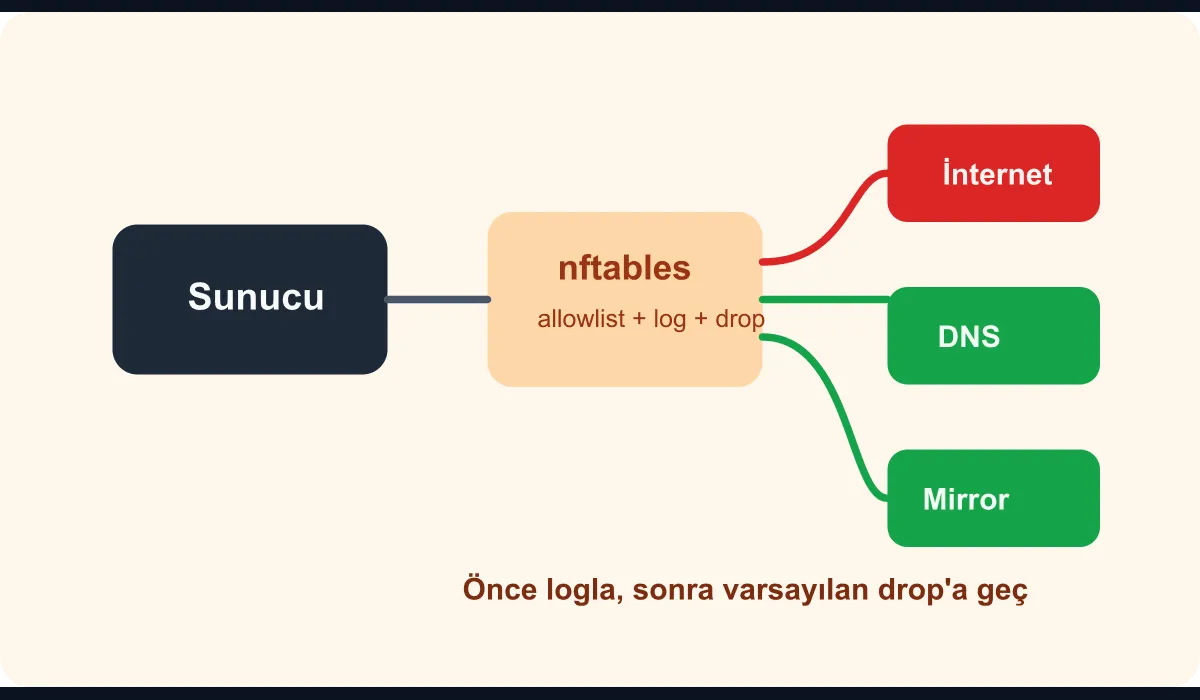
Why does egress control matter?
The following scenarios are common:
- The package manager should reach only the internal mirror
- The application should connect only to specific API providers
- Logs and telemetry should reach only enterprise backends
- Management tools should not be exposed to the internet
Even if these rules are defined at the network firewall, building a second control layer at the host level is valuable — especially on sensitive systems.
Sample design
In this guide we will set up the following approach:
- Deny egress traffic by default
- Allow-list mandatory destinations such as DNS, NTP, and the internal mirror
- Define additional destinations specific to the application user
- Make denied flows visible through logging
First, let’s create a clean inet table inside /etc/nftables.conf:
table inet filter {
  set allowed_ipv4 {
    type ipv4_addr
    elements = { 10.10.0.10, 10.10.0.20, 198.51.100.40 }
  }

  chain output {
    type filter hook output priority 0;
    policy drop;

    ct state established,related accept
    oifname "lo" accept

    udp dport 53 ip daddr 10.10.0.10 accept
    udp dport 123 ip daddr 10.10.0.20 accept

    tcp dport { 443, 9418 } ip daddr @allowed_ipv4 accept

    meta skuid "appuser" tcp dport 443 ip daddr 198.51.100.40 accept

    counter log prefix "NFT-EGRESS-DROP " level info drop
  }
}
In this example, DNS and NTP go only to internal destinations. HTTPS egress, in turn, is constrained to the allowed set.
How do you safely roll the rules out?
Don’t jump straight to the default drop policy. For a safe rollout:
- First, set up a log-only chain
- Watch real traffic for a few hours
- Fill in the missing destinations
- Then enable
policy drop
On the first attempt many teams forget about the package mirror, the time server, or a telemetry endpoint. The price of that is unnecessary operational noise.
Which metrics should be watched on the operations side?
Once the egress policy is in place, look not only at rule presence but at behavior:
- Number of denied connections
- Most frequently denied destinations
- Distribution by application user
- Error rate after a policy change
Without this data, after a few weeks the rule set turns into a “we don’t know why this is here” file.
Conclusion
Setting up an egress traffic policy layer with nftables makes server security an extension of the network boundary. Done right, it clarifies where production hosts are allowed to talk, makes misrouted traffic visible earlier, and shrinks the data exfiltration surface. In enterprise infrastructure especially, real security comes as much from making outbound behavior intentional as it does from closing inbound ports.